# To create a MetaCode

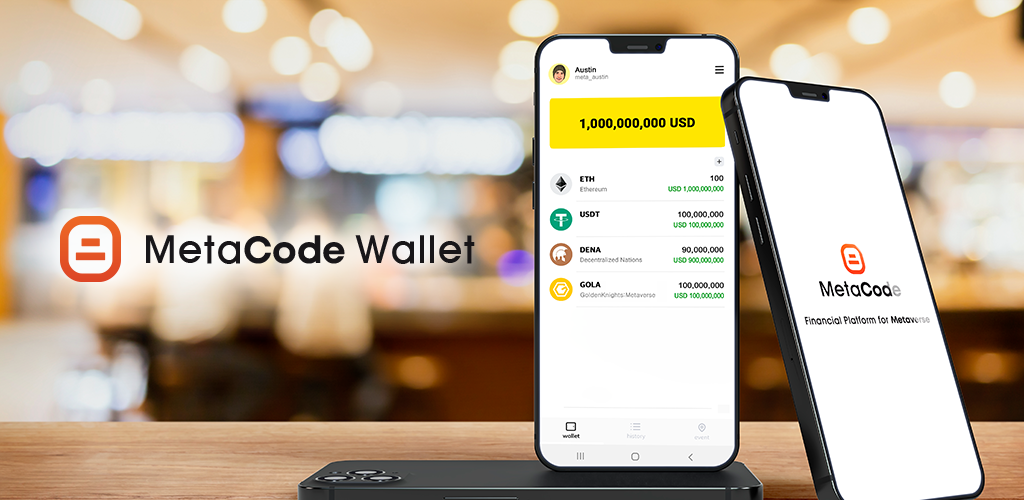
A MetaCode is a code that links services such as Metaverse, Games, DeFi, and Apps with cryptocurrency wallet.

You can receive coins in a cryptocurrency wallet using a MetaCode without using a complex blockchain wallet address

* Get coin airdrop
* Get staking interest
* Withdraw coins from Metaverse
* Withdraw coins from Game

{% hint style="info" %}
Only one MetaCode is issued per person through the face recognition function of the wallet.
{% endhint %}

## STEP 1 : Install MetaCode Wallet  &#x20;

<figure><img src="https://1474201331-files.gitbook.io/~/files/v0/b/gitbook-x-prod.appspot.com/o/spaces%2FWIsPPsrpveUGTdD4wWAq%2Fuploads%2FjIX3Qz4TLP5e0hZ8w9vp%2Fmarketing.png?alt=media&#x26;token=9edae109-a27d-41a7-8d3a-3d8b1b1f2d5b" alt=""><figcaption></figcaption></figure>

* [x] To generate MetaCode, please install MetaCode wallet.

&#x20;      You can install the wallet using the download link below.

<table data-view="cards"><thead><tr><th></th><th></th><th></th><th data-hidden data-card-cover data-type="files"></th><th data-hidden data-card-target data-type="content-ref"></th></tr></thead><tbody><tr><td></td><td></td><td></td><td><a href="https://1474201331-files.gitbook.io/~/files/v0/b/gitbook-x-prod.appspot.com/o/spaces%2FWIsPPsrpveUGTdD4wWAq%2Fuploads%2FUhcWqURrQc6WWYK419TG%2Fgitbook_7.jpg?alt=media&#x26;token=ece0145e-2227-4f97-aa33-7dcdce9ccf23">gitbook_7.jpg</a></td><td><a href="https://play.google.com/store/apps/details?id=net.metacode.wallet">https://play.google.com/store/apps/details?id=net.metacode.wallet</a></td></tr><tr><td></td><td></td><td></td><td><a href="https://1474201331-files.gitbook.io/~/files/v0/b/gitbook-x-prod.appspot.com/o/spaces%2FWIsPPsrpveUGTdD4wWAq%2Fuploads%2FsvmjGkcWESH02zs5SdQF%2Fgitbook_8.jpg?alt=media&#x26;token=84122370-862f-4c20-8b5b-ac7a518a97d7">gitbook_8.jpg</a></td><td></td></tr><tr><td></td><td></td><td></td><td><a href="https://1474201331-files.gitbook.io/~/files/v0/b/gitbook-x-prod.appspot.com/o/spaces%2FWIsPPsrpveUGTdD4wWAq%2Fuploads%2FUt4lo5C3wxYjeBAmlJnD%2Fgitbook_6.jpg?alt=media&#x26;token=6f5bd450-eab8-4df4-8a70-768757146d20">gitbook_6.jpg</a></td><td><a href="https://chainbridge-download.s3.ap-southeast-1.amazonaws.com/metacode_wallet.apk">https://chainbridge-download.s3.ap-southeast-1.amazonaws.com/metacode_wallet.apk</a></td></tr></tbody></table>

## STEP 2 : MetaCode Generation &#x20;

![](https://1474201331-files.gitbook.io/~/files/v0/b/gitbook-x-prod.appspot.com/o/spaces%2FWIsPPsrpveUGTdD4wWAq%2Fuploads%2F3x2zETUpcVFzB8tl5R9h%2Fcreate.jpg?alt=media\&token=25ea88c0-16a0-4aa4-9820-022166b32d8a)

* [x] Click <mark style="color:blue;">**"Create MetaCode"**</mark> at the top of the screen
* [x] Generate the desired MetaCode. "meta\_" is automatically entered.

## STEP 3 : Enabling MetaCode &#x20;

![](https://1474201331-files.gitbook.io/~/files/v0/b/gitbook-x-prod.appspot.com/o/spaces%2FWIsPPsrpveUGTdD4wWAq%2Fuploads%2FugOXrp9nFDiZvdaWEu1d%2F%EC%9D%B8%EC%A6%9D.png?alt=media\&token=75152e6c-c180-4e36-a3fe-ede2c736088c)

In order to activate functions such as airdrop receive, coin receive, etc. of the MetaCode, the following three certifications must be completed.

* [x] <mark style="color:blue;">**Face authentication**</mark> : It takes about 10 minutes for the certification to take place, and one MetaCode is issued per person.
* [x] <mark style="color:blue;">**Email Authentication**</mark> : It is automatically authenticated when using Google login or Apple login.
* [x] <mark style="color:blue;">**Set password**</mark> : Set a four-digit password.

{% hint style="info" %}
When the three certifications are complete, the airdropped coins are immediately send to your wallet.
{% endhint %}


---

# Agent Instructions: Querying This Documentation

If you need additional information that is not directly available in this page, you can query the documentation dynamically by asking a question.

Perform an HTTP GET request on the current page URL with the `ask` query parameter:

```
GET https://metacode.gitbook.io/docs/guide/metacode/create_metacode.md?ask=<question>
```

The question should be specific, self-contained, and written in natural language.
The response will contain a direct answer to the question and relevant excerpts and sources from the documentation.

Use this mechanism when the answer is not explicitly present in the current page, you need clarification or additional context, or you want to retrieve related documentation sections.